See your Claude Code usage, without leaving your desktop.
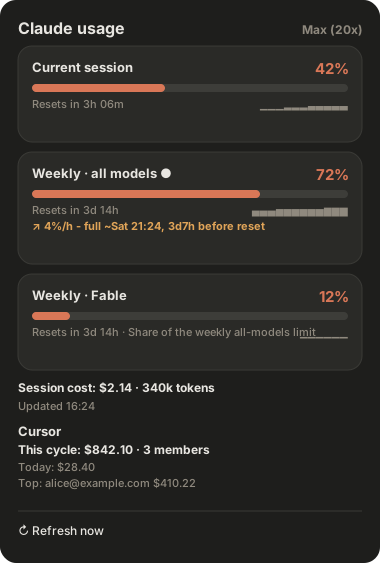
Session, weekly, and per-model limits (Fable, Opus…) - the same numbers as /usage, always visible in the GNOME top bar, the macOS menu bar, under your Claude Code prompt - or just ask Claude or Cursor.
One designed dropdown for every plan limit - plus alerts, trends, and optional Cursor spend.
📊
All plan limits
Session, weekly, and per-model (Fable, Opus…) - one card each, from the official limits[] API.
🎨
Severity colors
Normal / warning / critical, straight from the API - reflected in the top-bar glyph too.
🔔
Limit alerts
A desktop notification the moment a limit first hits 90% or 100%.
📈
Usage sparkline
A tiny per-limit trend graph so you see where you're heading, not just where you are.
💲
Session cost
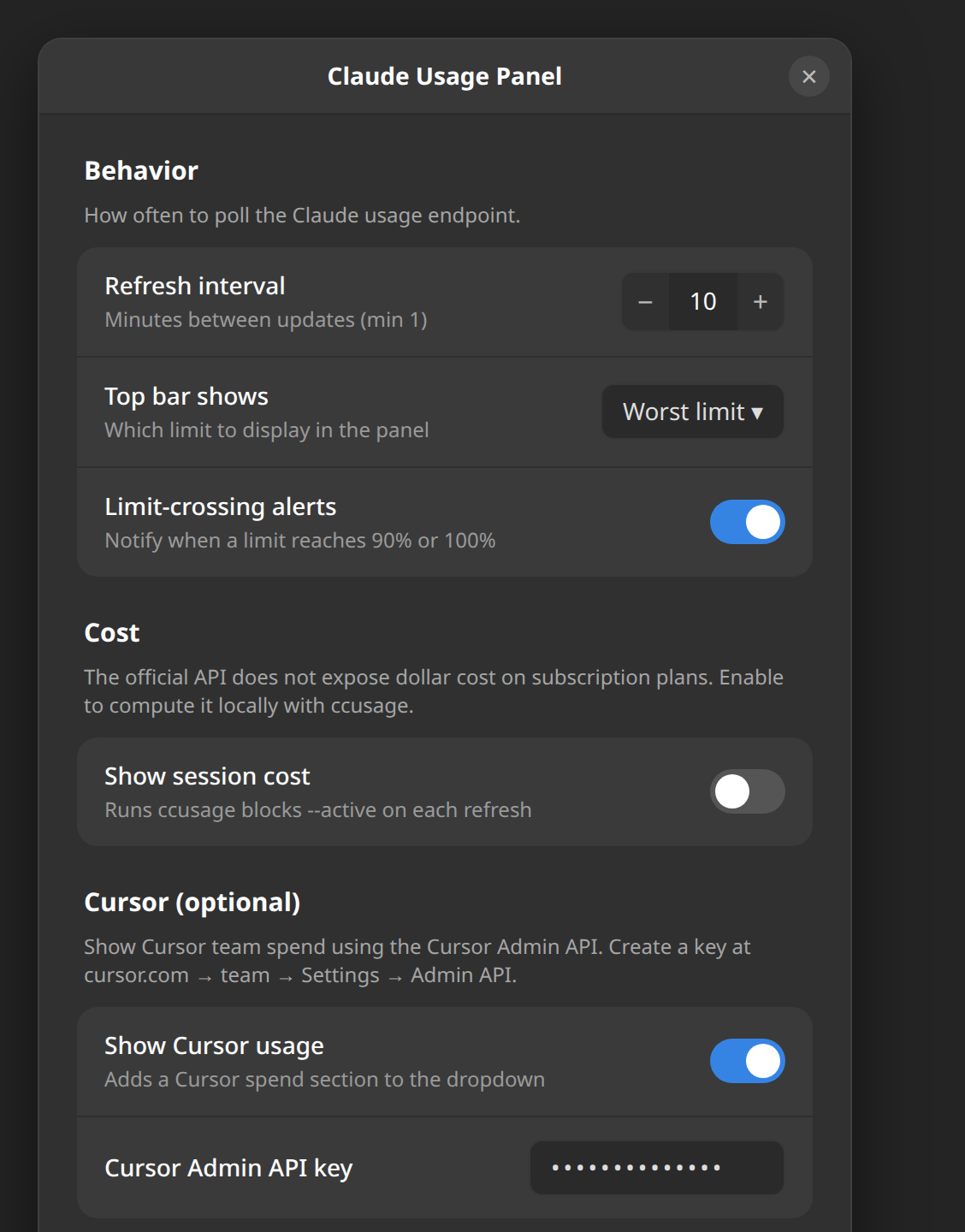
Optional dollar cost computed locally via ccusage.
🟣
Cursor spend
Optional team cycle spend, today, and top spender via the Cursor Admin API - with a % gauge when a limit is set.
⌨️
Terminal status line
A condensed one-line view right under the Claude Code prompt - Context, Session/Week limits, and a Σ session-token counter, read straight from Claude Code's stdin. No network, no credentials.
👥
Named accounts
Save each Claude login as PRO / PERSO, see every account's limits side by side, switch in one click - or let it switch to the account with the most room at 90%. No logout, no browser.
🤖
Ask Claude (MCP)
A get_usage MCP tool for Claude Code and Cursor - ask "how much of my plan have I used?" and get live limits in the conversation. One-click Add to Cursor.
Why this one? Most Claude usage indicators read the endpoint's legacy fields and show only the aggregate session + weekly pair. This one reads the modern limits[] array, so it shows every limit the Claude app shows - including per-model weekly limits the others miss - on both Linux and macOS, with native UI on each. No Electron.
Install
Read-only, private, self-contained. One line auto-detects your platform and installs the sensible set:
Installs and enables the extension - then log out and back in (Wayland loads new extensions only at login). Or grab the .shell-extension.zip from the latest release. Details: GNOME guide.
macOS 13+. Builds the app, installs to /Applications, and starts at login (toggle in Settings). The token is read from the login Keychain - click Always Allow on first launch.
Status line - a one-line usage gauge under the prompt: Context ▌░░ 8% Session █▌░ 26% 59m Week █▌░ 24% ∑ 1.2M tok
The button and this entry track main; append #vX.Y.Z to the spec to pin one release.
The desktop panels can also show your Cursor team spend (Admin API key, optional) - see the guide.
It keeps itself current: a daily check installs new releases for you (only ever fast-forwarding a clean checkout, and only the clients you already have). Prefer to drive it yourself? ./install.sh update --pull upgrades on demand, and ./install.sh --uninstall autoupdate turns the daily check off. Every target has a matching --uninstall.
How it works
It reads the OAuth token Claude Code already stores locally and calls the official usage endpoint. It never writes your token, and talks only to Anthropic (plus Cursor / ccusage when you enable them).
GET https://api.anthropic.com/api/oauth/usage
    authorization: Bearer <token>
    anthropic-beta: oauth-2025-04-20
The response's limits[] array drives one card per limit - each with a percent, severity, reset time, and optional model scope. On Linux the token lives in ~/.claude/.credentials.json; on macOS, the login Keychain.